
Fix Jet Engine Error from Exchange
Version 8.7
Shareware
$299.00
0 downloads
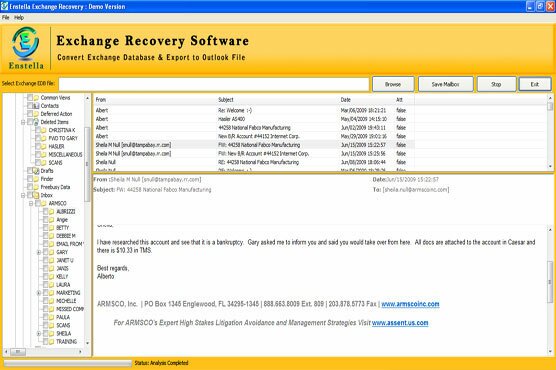
Jet Engine errors is the common problem that makes EDB files Corrupted or inaccessible for users, how to Fix Jet Engine Error from Exchange? This is possible with Enstella Exchange EDB to PST Recovery Software that is capable to fix exchange jet engine error code and makes the Exchange EDB file again useable. By taking help of this software all users are capable to repair exchange EDB file and convert exchange mailboxes to PST Outlook file with emails properties- to, bcc, cc, time, subjects and from, embedded images and zip attachments. Software fixes jet engine errors from exchange database and allows users to re-access exchange database. Software automatically detects .edb file location from user’s machine and scans the complete internal folders or emails from EDB files and recover jet engine error from exchange 2010to PST file with email properties, contacts, calendars, task, notes, inbox items, outbox items and appointments etc. Through the software users can select the folders that required convert into PST file without creating any problem. There is four formats are provided in that users are able to restore EDB files such as- EML, MSG, PST and HTML format. Users can choose PST Split option to makes the Outlook file small in size upto 5GB. Download demo version of the software that provides complete software conversion steps and also allows restore 25 emails per folders into every format at free of cost but to restore the complete data you can download full version of the software.
Program details
Publisher
Exchange Email RecoveryE-mail
Contact the publisherHome page
http://www.edbrecoverytool.org/Platforms
Win7 x32,Win7 x64,WinServer,Windows XP,Windows 98,WinVista x64File size
12286 KBFile date
4/26/2017License
SharewareInstallation
Install & UninstallRecord updated
5/24/2017