
Export Messages to HTML for Outlook
Version 4.10
Freeware
Free
0 downloads
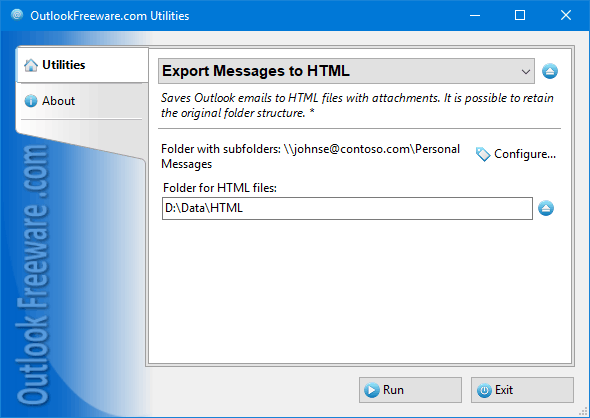
The free tool is an easy way to save email messages
from Outlook by exporting them to HTML files. Saved
HTML files can be viewed on any computer or mobile
phone using a web browser, with no need to install
additional programs. The exported HTML files will
contain all the pictures and attachments, and the
files themselves will be arranged into folders. You
can upload such messages to the Internet or share them
with partners who do not have Outlook installed.
Exporting messages to HTML files is also a good
secondary mail backup.
You can save Outlook messages to HTML manually.
However, you can do this only for one opened message.
If you want to save the entire folder from Outlook
into HTML, multiple folders, or the entire mailbox,
you must run this utility.
Key program benefits:
- Exports emails from any Outlook folders to HTML
from Outlook by exporting them to HTML files. Saved
HTML files can be viewed on any computer or mobile
phone using a web browser, with no need to install
additional programs. The exported HTML files will
contain all the pictures and attachments, and the
files themselves will be arranged into folders. You
can upload such messages to the Internet or share them
with partners who do not have Outlook installed.
Exporting messages to HTML files is also a good
secondary mail backup.
You can save Outlook messages to HTML manually.
However, you can do this only for one opened message.
If you want to save the entire folder from Outlook
into HTML, multiple folders, or the entire mailbox,
you must run this utility.
Key program benefits:
- Exports emails from any Outlook folders to HTML
Program details
Publisher
Outlook FreewareE-mail
Contact the publisherPlatforms
Win7 x32<br>Win7 x64<br>Windows 10<br>WinServer<br>Windows XP<br>Windows 2000<br>WinVista<br>WinVista x64<br>WinOtherFile size
321 KBFile date
3/9/2018License
FreewareInstallation
Install & UninstallRecord updated
9/24/2018


