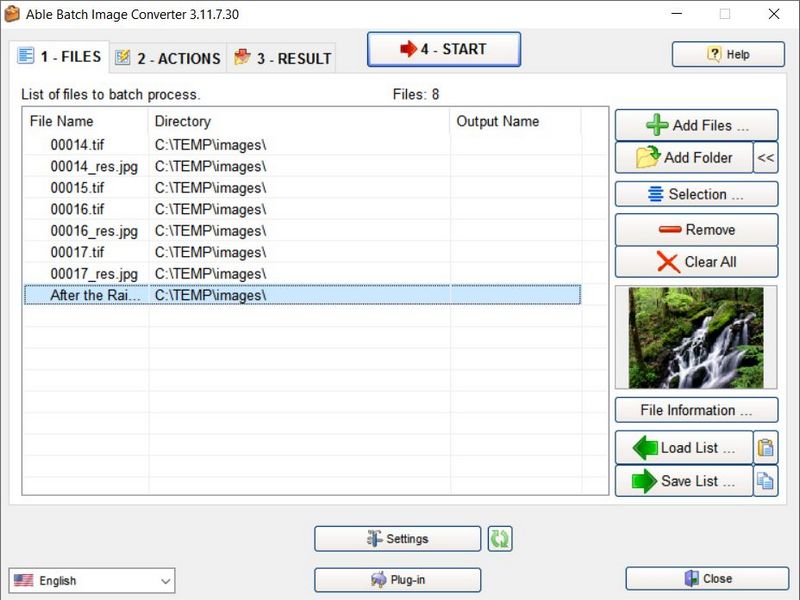

Able Batch Image Converter New
Version 3.18.9.14
Shareware
$25.00
0 downloads
Able Batch Image Converter does exactly what its title
suggests, allowing you to easily convert multiple
graphic files at the click of a button.
More than that, you can also edit images directly in
Able Batch Image Converter, to produce a variety of
effects (rotate, flip, resize, mirror, auto crop,
filters, noise remove, deskewing, watermarks, margins,
color enhancements etc).
Able Batch Image Converter can take any number of
images in any format (over 90 file formats supported)
and convert them within seconds to any of the twenty
most popular formats.
Image files you can convert from and can convert to
JPEG Bitmap (jpg, jpeg, jpe, jif)
PaintBrush (pcx)
Windows Bitmap (bmp, dib, rle)
TIFF Bitmap (tif, tiff, fax, g3n, g3f, xif)
CompuServe Bitmap (gif)
Windows Icon (ico)
Windows Cursor (cur)
suggests, allowing you to easily convert multiple
graphic files at the click of a button.
More than that, you can also edit images directly in
Able Batch Image Converter, to produce a variety of
effects (rotate, flip, resize, mirror, auto crop,
filters, noise remove, deskewing, watermarks, margins,
color enhancements etc).
Able Batch Image Converter can take any number of
images in any format (over 90 file formats supported)
and convert them within seconds to any of the twenty
most popular formats.
Image files you can convert from and can convert to
JPEG Bitmap (jpg, jpeg, jpe, jif)
PaintBrush (pcx)
Windows Bitmap (bmp, dib, rle)
TIFF Bitmap (tif, tiff, fax, g3n, g3f, xif)
CompuServe Bitmap (gif)
Windows Icon (ico)
Windows Cursor (cur)
Program details
Publisher
Vjacheslav BurlakovE-mail
Contact the publisherHome page
http://www.imageconverter.biz/Platforms
Win7 x32<br>Win7 x64<br>Windows 10<br>WinServer<br>Windows XP<br>Windows 2000<br>WinVista<br>WinVista x64<br>WinOtherFile size
16103 KBFile date
9/14/2018License
SharewareInstallation
Install & UninstallRecord updated
11/29/2018