
USB Safe Guard
Version 2.1.0.4.0
Shareware
$59.00
0 downloads
How to protect USB from the outside safely?
Do you want to protect your USB data from being lost
or stolen?
With the 'USB Safe Guard' product, you can easily
change your regular USB to a secure USB.
Secure USB can be opened as read/write or read only
mode,
you can also specify the expiration date and
expiration count if you pass secure USB to others.
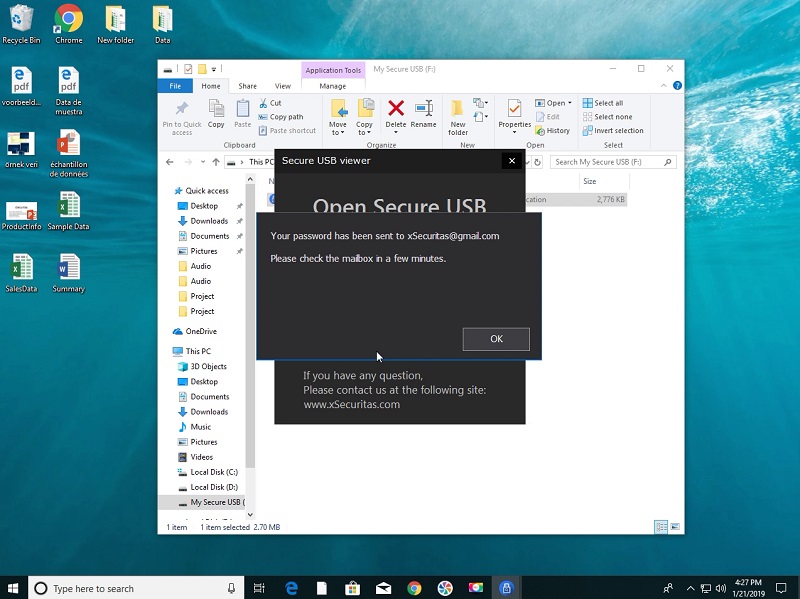
Secure USB usage logs sent to you can be received by
your email in real time .
The logs include PC information using secure USB and
when and where secure USB was used.
Of course, you can remotely disable or discard secure
USB, so you can prevent data leakage even if you lose
your secure USB.
Features
* You can change the general USB Hard Disk or USB
Flash Disk to an encrypted secure USB.
* A secure USB is 5MB less than the normal USB size
* You can specify an expiration date and an expiration
count when creating a secure USB.
* The documents are hidden in a secure USB, which can
be retrieved only by entering the password.
* A secure USB can be read / write or read-only.
* You can change the policy for this secure USB even
after creating a secure USB.
* You can view logs for a secure USB in real time.
* The log can be received by e-mail, and you can check
the time, country, and local information using Secure
USB in the e-mail.
* You can immediately disable secure USB in your mail.
Related Videos
* Quick Guide: https://youtu.be/6Gb-Fwtwm7s
* How to use secure USB: https://youtu.be/eASUS7dcsqc
* When anyone opens a Secure USB, you will receive
tracking e-mail: https://youtu.be/D0f-aVb4tlw
* See more videos:
https://www.youtube.com/channel/UCW9UHqHn07a5Tk_L2bmsXy
w
Operating System
* Windows 7 / 8 / 8.1 / 10
* Windows Server 2008 R2 / 2012 / 2016 / 2019
Operating System For created Secure USB
* Windows XP / Vista / 7 / 8 / 8.1 / 10
* Windows Server 2003 / 2008 / 2012 / 2016 / 2019
Do you want to protect your USB data from being lost
or stolen?
With the 'USB Safe Guard' product, you can easily
change your regular USB to a secure USB.
Secure USB can be opened as read/write or read only
mode,
you can also specify the expiration date and
expiration count if you pass secure USB to others.
Secure USB usage logs sent to you can be received by
your email in real time .
The logs include PC information using secure USB and
when and where secure USB was used.
Of course, you can remotely disable or discard secure
USB, so you can prevent data leakage even if you lose
your secure USB.
Features
* You can change the general USB Hard Disk or USB
Flash Disk to an encrypted secure USB.
* A secure USB is 5MB less than the normal USB size
* You can specify an expiration date and an expiration
count when creating a secure USB.
* The documents are hidden in a secure USB, which can
be retrieved only by entering the password.
* A secure USB can be read / write or read-only.
* You can change the policy for this secure USB even
after creating a secure USB.
* You can view logs for a secure USB in real time.
* The log can be received by e-mail, and you can check
the time, country, and local information using Secure
USB in the e-mail.
* You can immediately disable secure USB in your mail.
Related Videos
* Quick Guide: https://youtu.be/6Gb-Fwtwm7s
* How to use secure USB: https://youtu.be/eASUS7dcsqc
* When anyone opens a Secure USB, you will receive
tracking e-mail: https://youtu.be/D0f-aVb4tlw
* See more videos:
https://www.youtube.com/channel/UCW9UHqHn07a5Tk_L2bmsXy
w
Operating System
* Windows 7 / 8 / 8.1 / 10
* Windows Server 2008 R2 / 2012 / 2016 / 2019
Operating System For created Secure USB
* Windows XP / Vista / 7 / 8 / 8.1 / 10
* Windows Server 2003 / 2008 / 2012 / 2016 / 2019
Program details
Publisher
James xSecuritasE-mail
Contact the publisherPlatforms
Win7 x32<br>Win7 x64<br>Windows 10<br>WinServer<br>Windows XP<br>Windows 2000<br>WinVista<br>WinVista x64<br>WinOtherFile size
18499 KBFile date
4/27/2019License
SharewareInstallation
Install & UninstallRecord updated
3/30/2021
