Barcode Software Free
Version 7.3.0.2
Shareware
$59.00
0 downloads
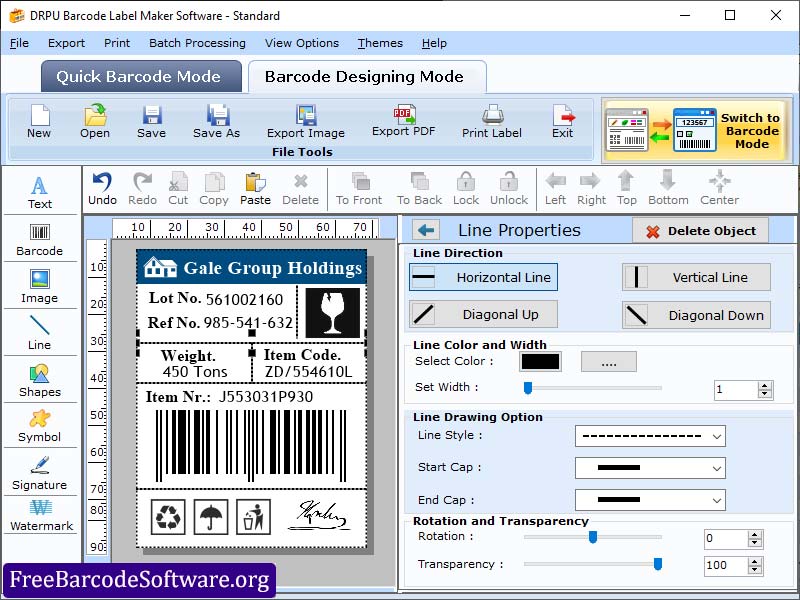
Standard barcode labeling software is very useful to provide quick and accurate inventory tracking. This software supports all kinds of printers and scanners. Even without any technical knowledge, anyone can use this software easily. User can print multiple barcodes and images at the same time. Software is used in various fields for easy managing and record keeping. The following steps define the full functionality of Standard barcode software. Step1: Download Standard barcode software and launch it, then select either quick barcode mode or barcode designing view mode. Step2: Select either linear or 2d barcode format and select the font type of a barcode. Step 3: Put the value of barcode, header and footer then set the alignment of it. Step4: Click on the general setting, where user can set the margin and change the dimension of the barcode. In color setting, user can change the colour of the barcode and its specific values also. Step5: Select designing view mode to create the customized labels with the use of some drawing tools like watermark, signature, Library images, label background, Shapes, etc. Step6: Click on batch processing option (Random series, Sequential series, and Constant value series) which helps the user to generate same kind of barcode with different values. Step7: User can save their created barcode label in different file formats like JPEG, PNG, PDF, etc. Step8: Click on advance print option where user can set the height, margins, orientation, and size of a label. By clicking on print preview button, user can avoid the mistakes before printing and then click on print button. Highlighted Feature: * User can generate barcodes in bulk with different values. * Software creates high-quality customize barcode labels. * User can print barcodes very easily with any kind of printer. * Software provides two different file formats, image and pdf to export the designed barcode labels.
Program details
Publisher
FreeBarcodeSoftware.orgE-mail
Contact the publisherPlatforms
Win7 x32,Win7 x64,Win8 x32,Win8 x64,Windows XP,Windows 2000,Windows 98,WinVista x64File size
3921 KBFile date
9/7/2022License
SharewareInstallation
Install & UninstallRecord updated
9/7/2022


