
4Easysoft DVD Creator
Version 1.0.10
Shareware
$29.95
0 downloads
4Easysoft DVD Creator is able to make all kinds of popular videos to DVD/Blu-ray disc/folder/ISO files, MP4, FLV, MOV, WMV, VOB, MTS, AVI, etc. included. It also supports all disc types. Moreover, it enables you to customize the DVD menu with your desire template, adjust the brightness and saturation, and add watermark/audio track/subtitle to your movies.
Functions:
1. Create DVD/Blu-ray disc/folder/ISO files with any videos
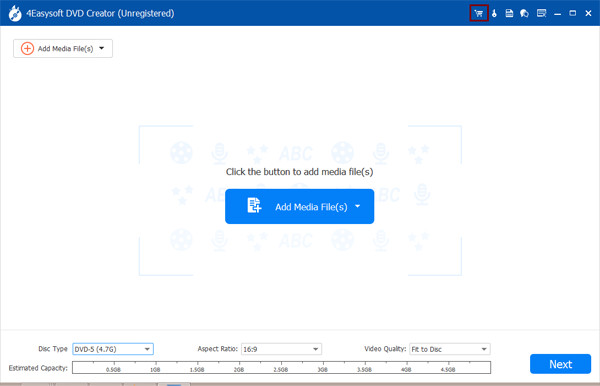
If you want to create a DVD/Blu-ray disc/folder/ISO file with your desired videos with super high speed and excellent video quality, 4Easysoft DVD Creator can do you a favor. You can create your DVD with various video formats, including MP4, AVI, MOV, WMV, MKV, FLV, TS, MTS, M2TS, and more. Besides, it supports all popular disc types, including DVD-5 (4.7GB), DVD-9 (8.5GB), DVD-R, DVD+R, DVD-RW, DVD+RW, DVD-ROM, DVD-RAM, DVD-DL, etc.
2. Edit and customize your DVD
Want to edit and customize your DVD before burning? Try 4Easysoft DVD Creator. There are multiple templates and features for you to choose. You can adjust brightness, saturation, volume, contrast and hue to edit your DVD, you can also add audio track, watermark and subtitles to your videos. Besides, you can trim/crop/rotate your videos and merge/split chapters as you wish.
3. High-quality output and NTSC/PAL is supported
4Easysoft DVD Creator supports high-quality output. For DVD, you can save your videos in 720P, which is a maximum quality for DVD disc. For Blu-ray, it allows you to create a 1080P movie to your Blu-ray disc. Meanwhile, it supports NTSC/PAL, so you can set it for playing on the corresponding TV or DVD players. It also provides fast burning speed, so you don't need to wait for long before enjoying your movies.
Functions:
1. Create DVD/Blu-ray disc/folder/ISO files with any videos
If you want to create a DVD/Blu-ray disc/folder/ISO file with your desired videos with super high speed and excellent video quality, 4Easysoft DVD Creator can do you a favor. You can create your DVD with various video formats, including MP4, AVI, MOV, WMV, MKV, FLV, TS, MTS, M2TS, and more. Besides, it supports all popular disc types, including DVD-5 (4.7GB), DVD-9 (8.5GB), DVD-R, DVD+R, DVD-RW, DVD+RW, DVD-ROM, DVD-RAM, DVD-DL, etc.
2. Edit and customize your DVD
Want to edit and customize your DVD before burning? Try 4Easysoft DVD Creator. There are multiple templates and features for you to choose. You can adjust brightness, saturation, volume, contrast and hue to edit your DVD, you can also add audio track, watermark and subtitles to your videos. Besides, you can trim/crop/rotate your videos and merge/split chapters as you wish.
3. High-quality output and NTSC/PAL is supported
4Easysoft DVD Creator supports high-quality output. For DVD, you can save your videos in 720P, which is a maximum quality for DVD disc. For Blu-ray, it allows you to create a 1080P movie to your Blu-ray disc. Meanwhile, it supports NTSC/PAL, so you can set it for playing on the corresponding TV or DVD players. It also provides fast burning speed, so you don't need to wait for long before enjoying your movies.
Program details
Publisher
4Easysoft StudioE-mail
Contact the publisherPlatforms
Win7 x32,Win7 x64,Windows 10,WinServer,Windows XP,WinVista x64,WinOtherFile size
2296 KBFile date
4/12/2023License
SharewareExpiration info
Installation
Install & UninstallRecord updated
4/19/2023