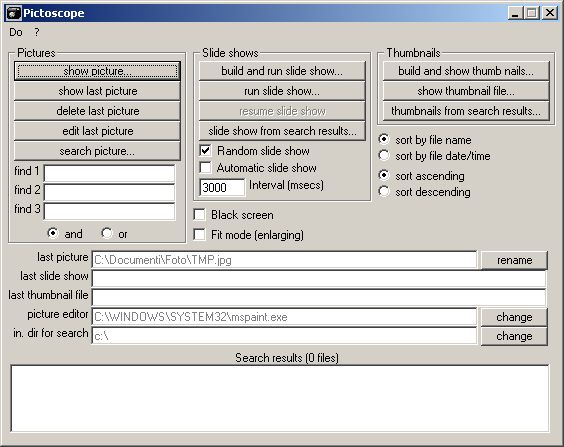

Pictoscope
Version 4.0.22
Freeware
Free
0 downloads
Pictoscope has all you need to enjoy your digital
images in various comfortable ways. It can display
images in four different forms:
- Normal: the image is contained in a normal window,
with borders and clip controls. It is displayed in the
original format if it fits in the screen, otherwise it
is automatically reduced to the maximum size fitting
in the screen. You can then optionally crop or resize
the image by dragging the windows borders or the image
itself, hide the borders and even set the image in a
slow and random motion. The cropped or resized image
can be saved in JPEG format with selectable quality
level, with original resolution or with the resolution
seen on the screen.
- Full screen: the image is shown in the middle of the
screen, on a black background that fills the rest of
screen, hiding anything else. You can pass from normal
view to full screen view and vice versa by double
clicking the image
images in various comfortable ways. It can display
images in four different forms:
- Normal: the image is contained in a normal window,
with borders and clip controls. It is displayed in the
original format if it fits in the screen, otherwise it
is automatically reduced to the maximum size fitting
in the screen. You can then optionally crop or resize
the image by dragging the windows borders or the image
itself, hide the borders and even set the image in a
slow and random motion. The cropped or resized image
can be saved in JPEG format with selectable quality
level, with original resolution or with the resolution
seen on the screen.
- Full screen: the image is shown in the middle of the
screen, on a black background that fills the rest of
screen, hiding anything else. You can pass from normal
view to full screen view and vice versa by double
clicking the image
Program details
Publisher
Bruno CancellieriE-mail
Contact the publisherPlatforms
Windows 95<br>Windows 98<br>Windows ME<br>Windows File size
2236 KBFile date
6/22/2008License
FreewareInstallation
Install & UninstallRecord updated
6/15/2010


