SolidCapture
Version 1.0
Shareware
$29.95
0 downloads
Easily capture anything on the screen and send the
screenshot to the clipboard, a file, or your favorite
image editing application in the format of your choice.
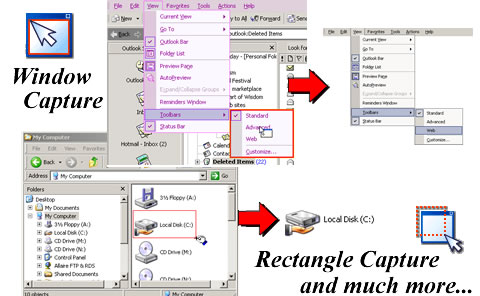
Screen capture modes: Full Screen, Window (multiple
windows), Rectangle, Resize. Capture tooltips, cursors
and popup menus too.
Capture images in the following formats: bmp, jpg,
tif, png.
We also save your image in html format so you can
paste the image directly into your email messages.
Specify color scale for captured images: monochrome,
grayscale,8, 16, or 24 bits per pixel Color.
Screen capture options can be global for all screen
capture modes or you can setup different actions for
each screen capture mode.
screenshot to the clipboard, a file, or your favorite
image editing application in the format of your choice.
Screen capture modes: Full Screen, Window (multiple
windows), Rectangle, Resize. Capture tooltips, cursors
and popup menus too.
Capture images in the following formats: bmp, jpg,
tif, png.
We also save your image in html format so you can
paste the image directly into your email messages.
Specify color scale for captured images: monochrome,
grayscale,8, 16, or 24 bits per pixel Color.
Screen capture options can be global for all screen
capture modes or you can setup different actions for
each screen capture mode.
Program details
Publisher
Tamara CartwrightE-mail
Contact the publisherHome page
http://www.solidcapture.com/Platforms
Windows 98<br>Windows ME<br>Windows NT 4.x<br>WindFile size
1352 KBFile date
4/11/2003License
SharewareExpires after
15 daysInstallation
Install & UninstallRecord updated
2/15/2007

