
RoboTask
Version 7.1
Shareware
$119.95
5 downloads
RoboTask allows you to automate any combination of
tasks on your computer, ranging from simply launching
web pages, to checking email, moving or backing up
files to uploading or downloading, sending email and
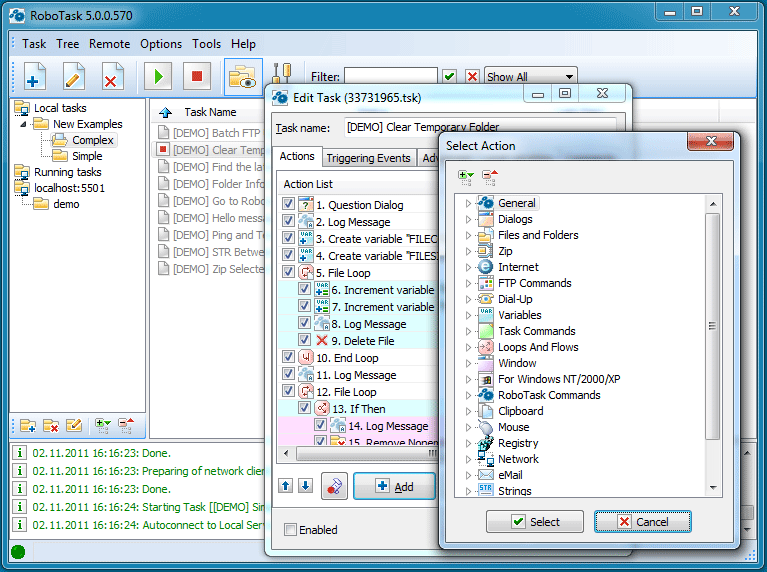
much more. The program allows you to easily create
simple tasks, as well as highly complex automations,
involving conditional IF/ELSE statements, loops,
custom variables and other advanced options. It can
accommodate just about any type of simple or complex
automation, without the need to create batch files or
write complicated scripts, as it uses a visual
interface that allows you to simply select and combine
actions to fit your needs. The extensive support for
conditional actions allows you not only to create
automated tasks, but to execute them automatically if
certain conditions apply (e.g. if a file is moved, if
your Internet connection cuts off, etc.). RoboTask can
run as an NT Service, allowing you to have automated
tasks take place, even if you are not logged on.
Anyone can use RoboTask! Despite RoboTask's power and
flexibility, it is very easy to use. No need to be a
tasks on your computer, ranging from simply launching
web pages, to checking email, moving or backing up
files to uploading or downloading, sending email and
much more. The program allows you to easily create
simple tasks, as well as highly complex automations,
involving conditional IF/ELSE statements, loops,
custom variables and other advanced options. It can
accommodate just about any type of simple or complex
automation, without the need to create batch files or
write complicated scripts, as it uses a visual
interface that allows you to simply select and combine
actions to fit your needs. The extensive support for
conditional actions allows you not only to create
automated tasks, but to execute them automatically if
certain conditions apply (e.g. if a file is moved, if
your Internet connection cuts off, etc.). RoboTask can
run as an NT Service, allowing you to have automated
tasks take place, even if you are not logged on.
Anyone can use RoboTask! Despite RoboTask's power and
flexibility, it is very easy to use. No need to be a
Program details
Publisher
NeoWise SoftwareE-mail
Contact the publisherHome page
http://www.robotask.com/Platforms
Win7 x32<br>Win7 x64<br>Windows 10<br>WinServer<br>Windows XP<br>Windows 2000<br>WinVista<br>WinVista x64<br>WinOtherFile size
18976 KBFile date
3/25/2018License
SharewareInstallation
Install & UninstallRecord updated
4/6/2018


