Capture Text
Version 3.1
Shareware
$29.95
1 downloads
Capture Text was designed specifically to meet the
demands of those who works with large amount of texts
and prizes their time to spend it on endless typing.
How often were you in the situation when you needed to
save some data but wasn't able to do it because words
or figures were protected by some script of just
cannot be copied? Well, here's the tool that will help
you to avoid all these problems and settle them once
and for all.
Capture Text recognizes any text that is displayed on
the screen and saves it to clipboard, so you can work
with it.
The program interacts with your document processing
software and converts the captured text or graphic
image to content that can be recognized as text within
the document processing software.
You don't need to re-type the text you can see on
screen - just select it with mouse and it will be
copied to clipboard.
Capture Text recognizes letters, punctuation, and
numbers. If you select graphics, the program
translates it as letters and punctuation.
The software is capable to capture and recognize URLs
as well as the scanned blocks of text - no need to use
conventional expensive OCR programs, let Capture Text
do the work for you.
Features:
Recognizes text in any type of document (HTML, Word,
Notepad, PDF, BMP or JPG image) or in any part of the
screen and saves it to clipboard.
Recognizes text that cannot be saved or printed.
Recognizes text in any language that cannot be saved
or printed.
Recognizes "hidden" text ignoring blocking scripts on
Internet pages.
Reads selected text in documents, emails or Internet
pages.
Works with virtually any proportional and fixed
typeface.
Properly works with character sizes 6 to 72 point.
Works with all American and European character sets,
including the Central-European and Cyrillic.
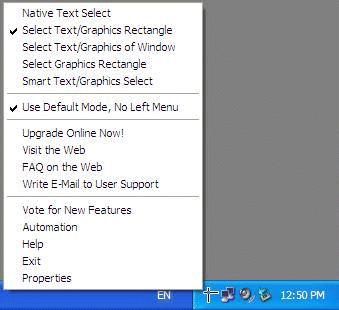
Selects the text with rectangular selection tool,
window selection, scrolling window selection or
graphic selection.
Fully integrates with word processing tools.
demands of those who works with large amount of texts
and prizes their time to spend it on endless typing.
How often were you in the situation when you needed to
save some data but wasn't able to do it because words
or figures were protected by some script of just
cannot be copied? Well, here's the tool that will help
you to avoid all these problems and settle them once
and for all.
Capture Text recognizes any text that is displayed on
the screen and saves it to clipboard, so you can work
with it.
The program interacts with your document processing
software and converts the captured text or graphic
image to content that can be recognized as text within
the document processing software.
You don't need to re-type the text you can see on
screen - just select it with mouse and it will be
copied to clipboard.
Capture Text recognizes letters, punctuation, and
numbers. If you select graphics, the program
translates it as letters and punctuation.
The software is capable to capture and recognize URLs
as well as the scanned blocks of text - no need to use
conventional expensive OCR programs, let Capture Text
do the work for you.
Features:
Recognizes text in any type of document (HTML, Word,
Notepad, PDF, BMP or JPG image) or in any part of the
screen and saves it to clipboard.
Recognizes text that cannot be saved or printed.
Recognizes text in any language that cannot be saved
or printed.
Recognizes "hidden" text ignoring blocking scripts on
Internet pages.
Reads selected text in documents, emails or Internet
pages.
Works with virtually any proportional and fixed
typeface.
Properly works with character sizes 6 to 72 point.
Works with all American and European character sets,
including the Central-European and Cyrillic.
Selects the text with rectangular selection tool,
window selection, scrolling window selection or
graphic selection.
Fully integrates with word processing tools.
Program details
Publisher
CaptureText.com E-mail
Contact the publisherHome page
http://www.capturetext.com/Platforms
Windows 95<br>Windows 98<br>Windows ME<br>Windows File size
440 KBFile date
9/9/2004License
SharewareExpires after
21 daysInstallation
Install & UninstallRecord updated
9/28/2004


