
ExcelPipe Search and Replace
Version 4.6.10
Shareware
$49.95
0 downloads
Search and Replace multiple Microsoft Excel
spreadsheets. Change hyperlinks and UNC paths when
servers get renamed; update contact details such as
names, addresses and phone numbers; translate
spreadsheets with find/replace lists; update Microsoft
SharePoint documents or Microsoft Namespace Server
mappings.
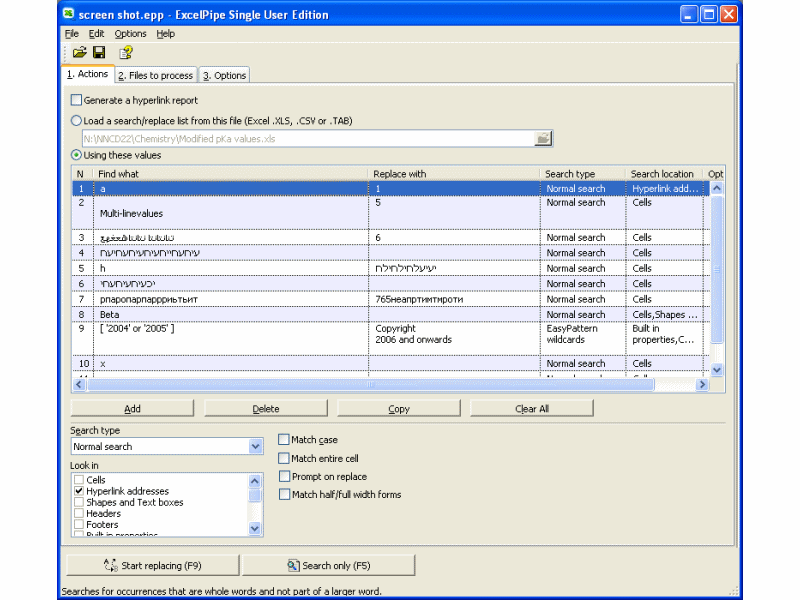
Using ExcelPipe is simple. 1) Drag and drop files from
Windows Explorer to ExcelPipe, or right-click the
files or folders to process in Windows Explorer and
choose ExcelPipe. 2) Add one or more search/replace
pairs. 3) Go!
ExcelPipe can change thousands or millions of
spreadsheets, and can make multiple changes
simultaneously to save time. It automatically handles
read-only files, passwords and other protection, and
it can be automated to run overnight or over a
weekend. No user interaction is required. It even
includes restart recovery in case Microsoft Excel
spreadsheets. Change hyperlinks and UNC paths when
servers get renamed; update contact details such as
names, addresses and phone numbers; translate
spreadsheets with find/replace lists; update Microsoft
SharePoint documents or Microsoft Namespace Server
mappings.
Using ExcelPipe is simple. 1) Drag and drop files from
Windows Explorer to ExcelPipe, or right-click the
files or folders to process in Windows Explorer and
choose ExcelPipe. 2) Add one or more search/replace
pairs. 3) Go!
ExcelPipe can change thousands or millions of
spreadsheets, and can make multiple changes
simultaneously to save time. It automatically handles
read-only files, passwords and other protection, and
it can be automated to run overnight or over a
weekend. No user interaction is required. It even
includes restart recovery in case Microsoft Excel
Program details
Publisher
Simon CarterE-mail
Contact the publisherPlatforms
Windows 95<br>Windows 98<br>Windows ME<br>Windows File size
2571 KBFile date
9/6/2009License
SharewareInstallation
Install & UninstallRecord updated
6/11/2009


