CountDown Timer in Flash
Version 1.01
Shareware
$1995.00
3 downloads
With time pressing at every step it is easy to get
lost in the never-ending flow of appointments, dates
and deadlines. Thus it is vital to have a reminder on
hand, such as CountDown Timer.
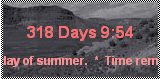
CountDown Timer is a tiny flash widget (8Kb SWF file
size) displaying the remaining time to the schedule
event. CountDown timer displays days, hours, minutes,
seconds, and milliseconds . Thus you will always be
able to keep up with the times and never miss an
important appointment.
This handy gadget you can display either on your
website to urge your visitors catch up with the latest
offer or on your desktop to have the remaining time
always in sight.
Installing CountDown Timer, you can:
• Schedule multiple and periodic events
• Customize its major features (color scheme,
appearance, size of fonts, etc)
• Use it as the desktop application
• Play MP3 on the event taking place
• And much more…
The major distinguishing feature of our CountDown
Timer is that it is multifunctional. It can display
time remaining not only to single events, but also
periodic dates. It provides The Timer with additional
flexibility and functionality.
Thus, don’t hesitate a moment! Install Countdown Timer
in Flash to your website in minutes and start enjoying
it right away!
lost in the never-ending flow of appointments, dates
and deadlines. Thus it is vital to have a reminder on
hand, such as CountDown Timer.
CountDown Timer is a tiny flash widget (8Kb SWF file
size) displaying the remaining time to the schedule
event. CountDown timer displays days, hours, minutes,
seconds, and milliseconds . Thus you will always be
able to keep up with the times and never miss an
important appointment.
This handy gadget you can display either on your
website to urge your visitors catch up with the latest
offer or on your desktop to have the remaining time
always in sight.
Installing CountDown Timer, you can:
• Schedule multiple and periodic events
• Customize its major features (color scheme,
appearance, size of fonts, etc)
• Use it as the desktop application
• Play MP3 on the event taking place
• And much more…
The major distinguishing feature of our CountDown
Timer is that it is multifunctional. It can display
time remaining not only to single events, but also
periodic dates. It provides The Timer with additional
flexibility and functionality.
Thus, don’t hesitate a moment! Install Countdown Timer
in Flash to your website in minutes and start enjoying
it right away!
Program details
Publisher
USFlashMap.com USFlashMap.comE-mail
Contact the publisherPlatforms
Windows 95<br>Windows 98<br>Windows ME<br>Windows File size
2838 KBFile date
7/17/2007License
SharewareInstallation
No InstallRecord updated
8/22/2007
