RM-to-MP3-Converter for to mp4
Version 4.39
Shareware
$24.95
0 downloads
RM-to-MP3-Converter is for converting RM files (Real
Media Files: rm, rmvb, ram, ra, rmj, etc.) to MP3
files.
It can also convert RM to WAV.
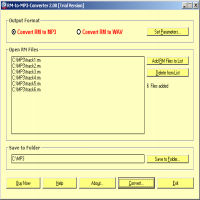
To convert RM to MP3, do according to the below steps:
Launch the software RM-to-MP3-Converter from your
computer's "Start > Programs"
Select the optional item "Convert RM to MP3" on the
window
Click the button "Set Parameters..." to set MP3
options and save it.
Click the button "Add RM Files to List" to browse and
select RM files into the list box
Click the button "Save to Folder..." to browse and
select a folder for saving output files.
Click the button "Convert..." to open the converting
dialog.
Click the button "Start" on the converting dialog to
start converting RM to MP3 and waitting for the
procedure to be finished.
Media Files: rm, rmvb, ram, ra, rmj, etc.) to MP3
files.
It can also convert RM to WAV.
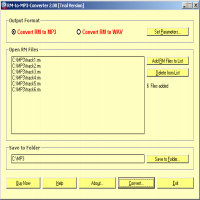
To convert RM to MP3, do according to the below steps:
Launch the software RM-to-MP3-Converter from your
computer's "Start > Programs"
Select the optional item "Convert RM to MP3" on the
window
Click the button "Set Parameters..." to set MP3
options and save it.
Click the button "Add RM Files to List" to browse and
select RM files into the list box
Click the button "Save to Folder..." to browse and
select a folder for saving output files.
Click the button "Convert..." to open the converting
dialog.
Click the button "Start" on the converting dialog to
start converting RM to MP3 and waitting for the
procedure to be finished.
Program details
Publisher
Vincent Van GoghE-mail
Contact the publisherPlatforms
Windows 95<br>Windows 98<br>Windows ME<br>Windows File size
3727 KBFile date
9/20/2006License
SharewareInstallation
Install & UninstallRecord updated
9/18/2007


