
VisiCrop
Version 1.0.39
Shareware
$39.95
1 downloads
VisiCrop is an easy-to use program because it crop
video step by step. VisiCrop is a Wizard so everything
is simple and structured. You won't have to read any
tutorials before you can start! You choose an input
video file and select output format (AVI or WMV). Then
you click 'Next' and choose the video from the first
frame to the final in the preview window. So you can
cut off any frames you want from the beginning and
from the final part. So you will be sure how the video
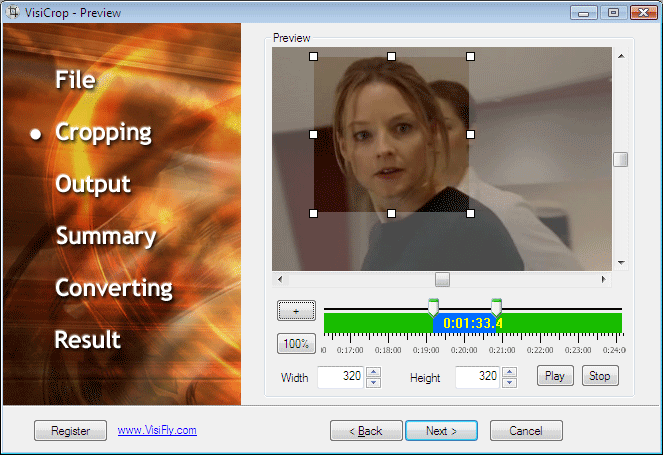
will look like after cutting. You will see Crop frame
in preview box and you will see which parts from each
side you want to crop.
video step by step. VisiCrop is a Wizard so everything
is simple and structured. You won't have to read any
tutorials before you can start! You choose an input
video file and select output format (AVI or WMV). Then
you click 'Next' and choose the video from the first
frame to the final in the preview window. So you can
cut off any frames you want from the beginning and
from the final part. So you will be sure how the video
will look like after cutting. You will see Crop frame
in preview box and you will see which parts from each
side you want to crop.
Program details
Publisher
Monica KriegerE-mail
Contact the publisherHome page
http://www.visifly.com/visicrop/Platforms
Windows 2000<br>Windows XPFile size
17170 KBFile date
1/17/2013License
SharewareInstallation
Install & UninstallRecord updated
1/17/2013