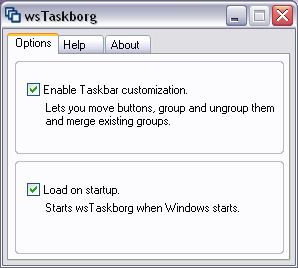

wsTaskborg
Version 1.4.0.2
Shareware
$17.00
0 downloads
This is a small utility that lets you organize your
taskbar buttons (the oblong objects that represent
open windows ;)) by dragging them around and
grouping/ungrouping them as you wish.
- To drag buttons, hold down Shift and drag them with
your mouse.
- To create a new group, Ctrl-Click a single button.
You will be asked how to name the new group. Enter
anyhing or leave it to the default value and press
Enter. Note that Explorer will soon ungroup a group
that has only one item, so you should immediately add
another button to the newly created groups.
- To add buttons to a group, hold down Ctrl and drag
them onto a group. This works both with normal and
custom groups. You can also drag a group onto another
group to merge them.
- To ungroup a group Ctrl-Click it.
taskbar buttons (the oblong objects that represent
open windows ;)) by dragging them around and
grouping/ungrouping them as you wish.
- To drag buttons, hold down Shift and drag them with
your mouse.
- To create a new group, Ctrl-Click a single button.
You will be asked how to name the new group. Enter
anyhing or leave it to the default value and press
Enter. Note that Explorer will soon ungroup a group
that has only one item, so you should immediately add
another button to the newly created groups.
- To add buttons to a group, hold down Ctrl and drag
them onto a group. This works both with normal and
custom groups. You can also drag a group onto another
group to merge them.
- To ungroup a group Ctrl-Click it.
Program details
Publisher
Janis ElstsE-mail
Contact the publisherHome page
http://w-shadow.com/wstaskborg/Platforms
Windows XPFile size
587 KBFile date
7/1/2007License
SharewareInstallation
Install & UninstallRecord updated
10/10/2007

