
Inpaint
Version 2.3
Shareware
$39.99
0 downloads
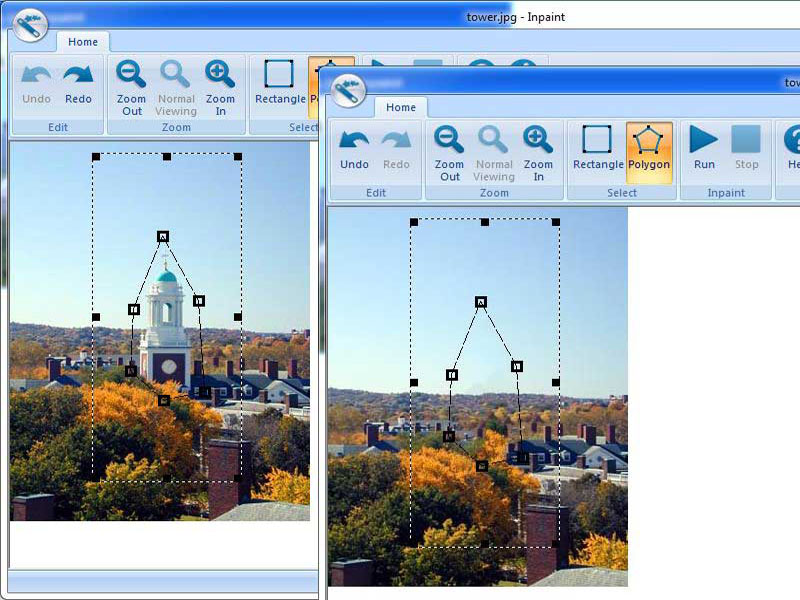
Inpaint reconstructs the selected image area from the
pixel near the area boundary. Inpaint may be used
unwanted objects from your photos.
Delete any unwanted object from your photo, such as
extra power-line, people, text... The program will
automatically inpaint the selected area to erase it.
If some unexpected object spoils an otherwise good
photograph, Inpaint may be used to remove it. Simply
select the object. No need for fiddly messing about
with the clone tool!
really magic function.
It is alarmingly simple to use. Draw a selection
around the object you wish to remove from the picture,
and run smart remove selection.
Inpaint will fill the selection area with
intelligently generated texture drawn from the
pixel near the area boundary. Inpaint may be used
unwanted objects from your photos.
Delete any unwanted object from your photo, such as
extra power-line, people, text... The program will
automatically inpaint the selected area to erase it.
If some unexpected object spoils an otherwise good
photograph, Inpaint may be used to remove it. Simply
select the object. No need for fiddly messing about
with the clone tool!
really magic function.
It is alarmingly simple to use. Draw a selection
around the object you wish to remove from the picture,
and run smart remove selection.
Inpaint will fill the selection area with
intelligently generated texture drawn from the
Program details
Publisher
Maxim GapchenkoE-mail
Contact the publisherHome page
http://www.teorex.com/inpaint.htmlPlatforms
Windows 2000<br>Windows XPFile size
3114 KBFile date
10/23/2009License
SharewareInstallation
Install & UninstallRecord updated
11/19/2009

