
ALLCapture
Version 3.0
Shareware
$129.00
0 downloads
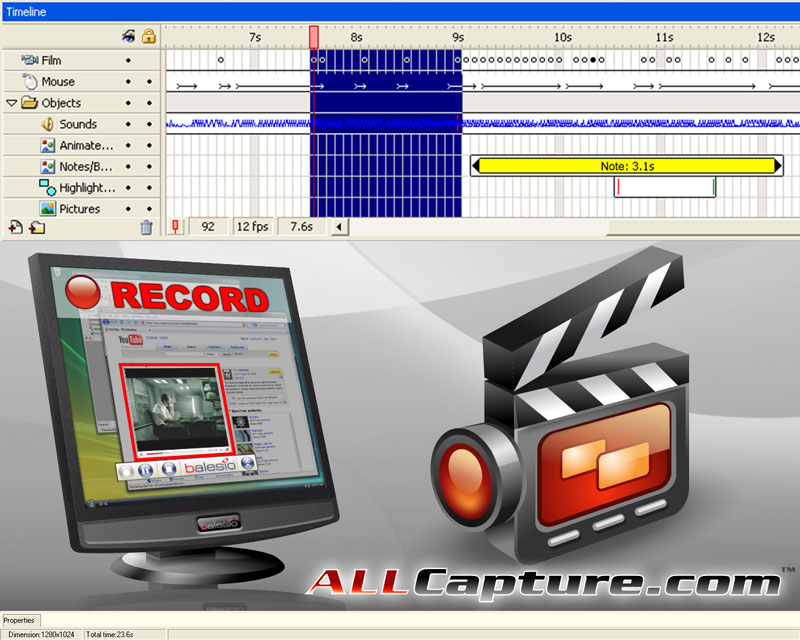
ALLCapture records any screen activity and creates in
minutes internet ready screen movies, presentations,
software simulations and tutorials! ALLCapture records
multiple soundtracks during or after video capture.
Users can edit their projects with speech bubbles,
text objects and special effects. The intuitive
timeline makes the editing process spectacularly easy.
Videos can be exported to Flash, EXE, ASF or as video
files for DVD, VCD or SVCD.
Good reasons for using ALLCapture:
- Record all screen activity in real-time, even
webinars or video conferences.
- Easily edit the captured video and insert captions,
notes, special effects, etc.
- Record sound during the capture process or add it
conveniently during playback.
- Memory manager for better recording performance.
- Small output size is ideal for e-mail and Internet
use. Choose between different output formats including
Flash, EXE, ASF, DVD, SVCD and VCD.
- Convert PowerPoint presentations automatically to
Flash
ALLCapture records any screen activity in real-time to
quickly and easily create software simulations,
videos, demos, screencasts and tutorials without any
programming language necessary. It's as easy as:
record - edit - export - play
minutes internet ready screen movies, presentations,
software simulations and tutorials! ALLCapture records
multiple soundtracks during or after video capture.
Users can edit their projects with speech bubbles,
text objects and special effects. The intuitive
timeline makes the editing process spectacularly easy.
Videos can be exported to Flash, EXE, ASF or as video
files for DVD, VCD or SVCD.
Good reasons for using ALLCapture:
- Record all screen activity in real-time, even
webinars or video conferences.
- Easily edit the captured video and insert captions,
notes, special effects, etc.
- Record sound during the capture process or add it
conveniently during playback.
- Memory manager for better recording performance.
- Small output size is ideal for e-mail and Internet
use. Choose between different output formats including
Flash, EXE, ASF, DVD, SVCD and VCD.
- Convert PowerPoint presentations automatically to
Flash
ALLCapture records any screen activity in real-time to
quickly and easily create software simulations,
videos, demos, screencasts and tutorials without any
programming language necessary. It's as easy as:
record - edit - export - play
Program details
Publisher
Marc SchulerE-mail
Contact the publisherHome page
http://www.allcapture.com/Platforms
Windows 98<br>Windows ME<br>Windows NT 4.x<br>WindFile size
9633 KBFile date
11/26/2007License
SharewareExpires after
30 daysInstallation
Install & UninstallRecord updated
2/4/2008

