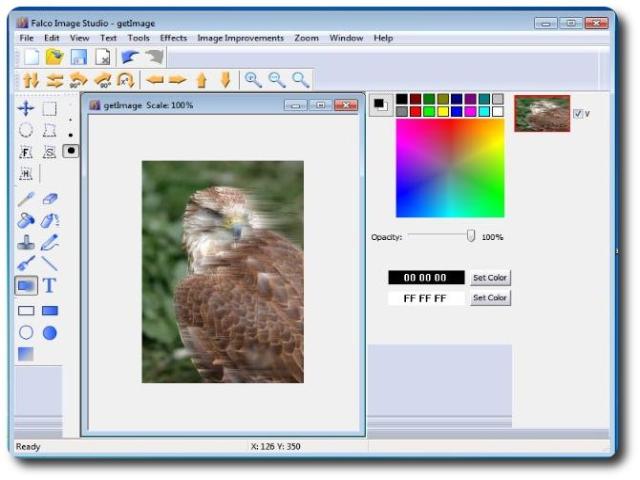

Falco Image Studio
Version 12.7
Freeware
Free
3 downloads
Falco Image Editor is a Graphics Tool to create, edit
and export images. Create professional looking images
with ease.
Key features:
1. Loading from BMP, GIF, PNG, JPG, PSD(Photoshop),
TIFF, TARGA files.
2. Saving in JPG, GIF, PNG, BMP, TIFF, TARGA formats.
3. Unlimited UNDO/REDO.
4. Copy/Paste in Multiple Windows.
5. Paste from other Image Editors, such as MS Paint,
etc.
6. Pencil, Brush, Line, Text, Spray, Rectangle,
Ellipse, Filled Rectangle, Filled Ellipse, Fill Tool,
Selection Tool, Color Selection Tool, Lasso Selection
Tool, Free Hand Selection Tool, Ellipse Selection
Tool, Hue Selection Tool, Smart Scissor Selection
Tool, Blur.
7. Effects: Rotates, Flips, Shifts, Contrast,
Brightness, Invert Colors, Blur, GrayScale, HLS
Adjustment, Sharpen, Emboss, Contour, Contrast Filter,
and export images. Create professional looking images
with ease.
Key features:
1. Loading from BMP, GIF, PNG, JPG, PSD(Photoshop),
TIFF, TARGA files.
2. Saving in JPG, GIF, PNG, BMP, TIFF, TARGA formats.
3. Unlimited UNDO/REDO.
4. Copy/Paste in Multiple Windows.
5. Paste from other Image Editors, such as MS Paint,
etc.
6. Pencil, Brush, Line, Text, Spray, Rectangle,
Ellipse, Filled Rectangle, Filled Ellipse, Fill Tool,
Selection Tool, Color Selection Tool, Lasso Selection
Tool, Free Hand Selection Tool, Ellipse Selection
Tool, Hue Selection Tool, Smart Scissor Selection
Tool, Blur.
7. Effects: Rotates, Flips, Shifts, Contrast,
Brightness, Invert Colors, Blur, GrayScale, HLS
Adjustment, Sharpen, Emboss, Contour, Contrast Filter,
Program details
Publisher
Waleriy SokolovE-mail
Contact the publisherPlatforms
Win7 x32<br>Win7 x64<br>Windows 10<br>WinServer<br>Windows XP<br>Windows 2000<br>WinVista<br>WinVista x64<br>WinOtherFile size
23452 KBFile date
8/1/2017License
FreewareInstallation
Install & UninstallRecord updated
1/7/2017

