
Master Voyager Home Edition
Version 3.31
Shareware
$69.95
2 downloads
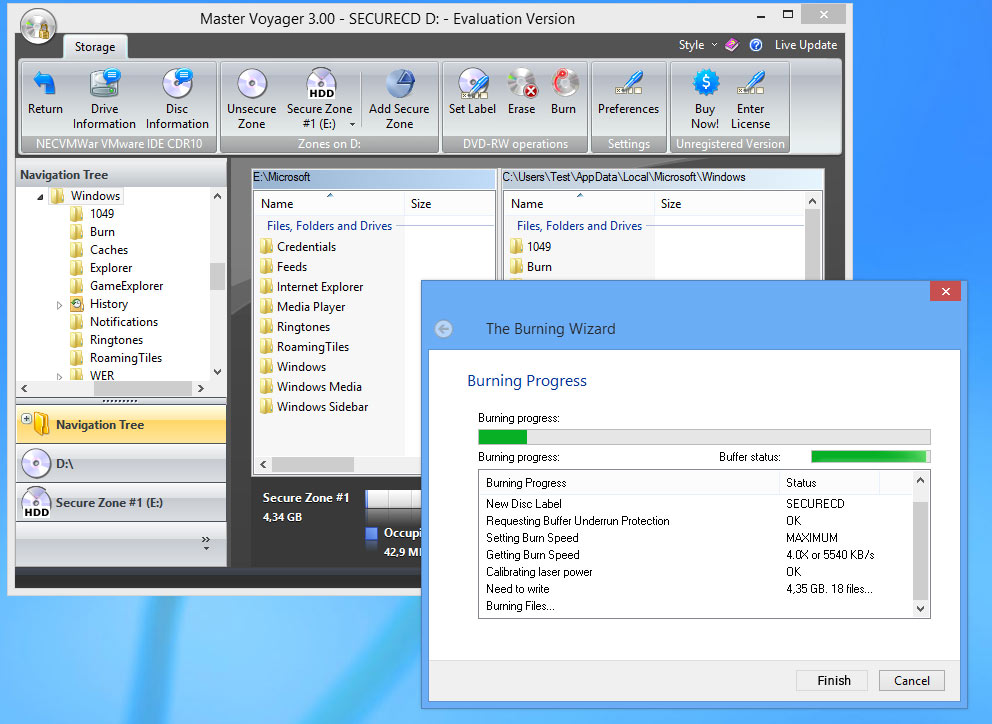
Master Voyager is especially designed to create
protected DVD/CD discs and USB Memory Sticks. It
creates protected areas on the media and it is needed
to enter password to see protected contents. Protected
Disc/USB Stick is fully autonomous and does not need
any special software installed on computer. It has
strong encryption of protected contents. Advanced
Encryption Standard 256 bit is used to protect your
records. AES is new Federal Information Processing
Standard (FIPS) and used to protect sensitive
information by U.S.Government organizations (and
others). Embedded CD/DVD burning module. It supports
CDR/CDRW/DVD+-R/DVD+-RW disc types. You do not need to
buy special CD burning software. No need to have
Master Voyager software on computer to read protected
media. Every protected disc/usb stick contains
AutoPlay module. You just need to insert disc into CD
Drive (or connect your Flash Stick to USB port) and it
will ask password to continue. The only requirement is
to have Windows Vista/XP/2000 (32 or 64 bit) and
CDROM/USB port. The protected media does NOT install
any software to the target computer. It is fully
autonomous. Download and try 30 days evaluation
version for free of charge.
protected DVD/CD discs and USB Memory Sticks. It
creates protected areas on the media and it is needed
to enter password to see protected contents. Protected
Disc/USB Stick is fully autonomous and does not need
any special software installed on computer. It has
strong encryption of protected contents. Advanced
Encryption Standard 256 bit is used to protect your
records. AES is new Federal Information Processing
Standard (FIPS) and used to protect sensitive
information by U.S.Government organizations (and
others). Embedded CD/DVD burning module. It supports
CDR/CDRW/DVD+-R/DVD+-RW disc types. You do not need to
buy special CD burning software. No need to have
Master Voyager software on computer to read protected
media. Every protected disc/usb stick contains
AutoPlay module. You just need to insert disc into CD
Drive (or connect your Flash Stick to USB port) and it
will ask password to continue. The only requirement is
to have Windows Vista/XP/2000 (32 or 64 bit) and
CDROM/USB port. The protected media does NOT install
any software to the target computer. It is fully
autonomous. Download and try 30 days evaluation
version for free of charge.
Program details
Publisher
Jessica SE-mail
Contact the publisherHome page
http://www.mvoyager.com/Platforms
Win7 x32<br>Win7 x64<br>WinServer<br>Windows XP<br>Windows 2000<br>WinVista<br>WinVista x64File size
9839 KBFile date
10/11/2014License
SharewareInstallation
Install & UninstallRecord updated
11/16/2014