
Comfort On-Screen Keyboard Lite
Version 7.0
Shareware
$9.95
0 downloads
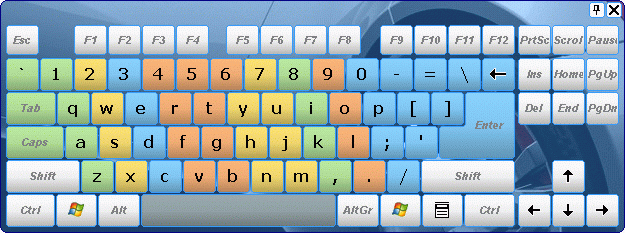
A lightweight virtual keyboard on the screen allows
you use the mouse pointer to type the way you do it
with the regular keyboard.
Key Comfort On-Screen Keyboard Lite features:
+ Displaying the icons of shortcuts in Windows and
popular applications.
+ Displaying characters actually typed in ANY
LANGUAGE, which allows you to type text without a
localized keyboard.
+ Customizing the keyboard appearance (the position,
size and number of keys, the color and the skin) with
the possibility to select it from a large number of
available templates (without having to buy a new
keyboard)
+ Quick switching between languages (when you use more
than one language layout).
+ Color areas for fingers (if necessary) in case you
learn to touch type. It is convenient because when you
press a key, you can see it pressed on the on-screen
keyboard!
you use the mouse pointer to type the way you do it
with the regular keyboard.
Key Comfort On-Screen Keyboard Lite features:
+ Displaying the icons of shortcuts in Windows and
popular applications.
+ Displaying characters actually typed in ANY
LANGUAGE, which allows you to type text without a
localized keyboard.
+ Customizing the keyboard appearance (the position,
size and number of keys, the color and the skin) with
the possibility to select it from a large number of
available templates (without having to buy a new
keyboard)
+ Quick switching between languages (when you use more
than one language layout).
+ Color areas for fingers (if necessary) in case you
learn to touch type. It is convenient because when you
press a key, you can see it pressed on the on-screen
keyboard!
Program details
Publisher
Sergey KoshkinE-mail
Contact the publisherHome page
http://on-screen-keyboard.com/Platforms
Windows 2000<br>Windows XPFile size
2719 KBFile date
7/1/2013License
SharewareInstallation
Install & UninstallRecord updated
1/7/2013


