
FLV Player
Version 1.0.0.0
Freeware
Free
1 downloads
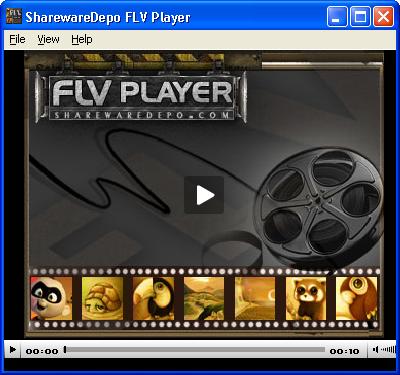
FLV Player allows you to play flash video file . The
play Icon will play and pause the currently playing
flash video file . The Sound Icon will change the
volume or mute . Double Click on the player will
Toggle on/off the full screen mode . Clicking this
item Open File will show the standard open dialog to
open the flash video file that you want to play ,if
you double click a flv file in the windows explorer,
it will be play with SC flv player. Use this option if
your flv file extension is associated with another
program or does not associated at all. Clicking the
item Replay will replay the current file from the
beginning . Clicking the item Full Screen will toggle
the player to full screen and vice versa .
play Icon will play and pause the currently playing
flash video file . The Sound Icon will change the
volume or mute . Double Click on the player will
Toggle on/off the full screen mode . Clicking this
item Open File will show the standard open dialog to
open the flash video file that you want to play ,if
you double click a flv file in the windows explorer,
it will be play with SC flv player. Use this option if
your flv file extension is associated with another
program or does not associated at all. Clicking the
item Replay will replay the current file from the
beginning . Clicking the item Full Screen will toggle
the player to full screen and vice versa .
Program details
Publisher
Shareware DepoE-mail
Contact the publisherHome page
http://sharewaredepo.com/flv.htmlPlatforms
Windows 95<br>Windows 98<br>Windows ME<br>Windows File size
2666 KBFile date
5/26/2008License
FreewareInstallation
Install & UninstallRecord updated
7/8/2008


