
Image Viewer
Version 1.0.0.0
Freeware
Free
1 downloads
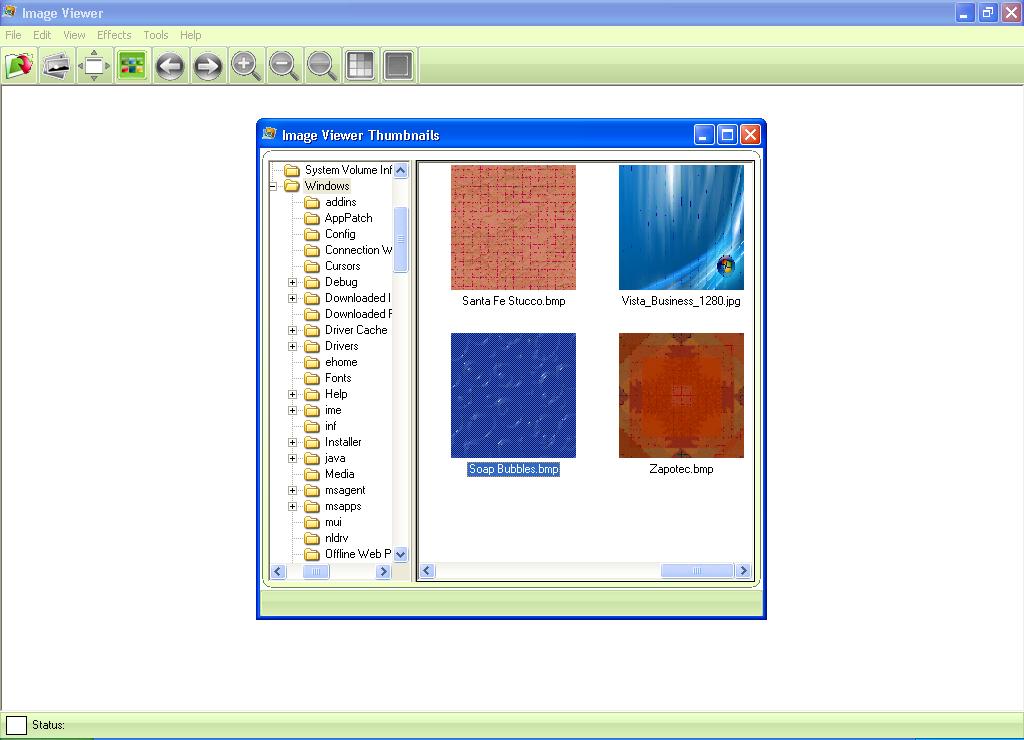
Image Viewer is the powerful, compact and easy-to-use
image viewer you can use. With Image Viewer you can do
the following:- 1- Open a lot of image file formats
like
JPG,BMP,GIF,TIFF,PNG,PSD,PCX,TGA,WMF,EMF,WBMP,ICO,DIB.
2- Open images also from URL and save them to your
disk. 3- Save to several image formats like JPG, BMP,
GIF, TIFF, PNG…etc. 4- View images in full screen mode
and slideshow mode. 5- View and browse images in
Thumbnails view. 5- View and browse images in
Thumbnails view. 6- Copy, Cut and Paste images and
portions of images. 7- Do some powerful effects like
Crop, Resize, Flip, Rotate, Skew, Brightness and
Contrast. From the general settings tab you can adjust
the following options: 1- Background color of the
viewer, click on the color button and choose the
desired color and press ok. 2- Specify if the viewer
loops around image files while browsing if reaching
the end or begin of files. 3- Fit image during
browsing. In the Full Screen Settings tab you can set
the options of the full screen mode as follow: 1-
Current image name display: sets the image name
display options. 2- Display the image name in the full
screen mode or not, by changing this check (Display in
full screen mode). 3- Display the image name in the
slide show mode or not, by changing this check
(Display in slide show mode). You can adjust the
Slideshow mode settings from the Slideshow Settings
tab, these settings as follow: 1- Skip damaged and
unsupported images during Slideshow: doesn’t show the
bad images in the slide show to prevent annoying the
user while the Slideshow. 2- Hide mouse pointer during
the slide show. 3- Set the delay between each image,
enter the value in Milliseconds (Note: 1000 = 1
Second). From the Association Settings tab you can set
which files can be associated with the Image Viewer to
be viewed with it, you can easily check or uncheck the
file or you can select all or deselect all files.
image viewer you can use. With Image Viewer you can do
the following:- 1- Open a lot of image file formats
like
JPG,BMP,GIF,TIFF,PNG,PSD,PCX,TGA,WMF,EMF,WBMP,ICO,DIB.
2- Open images also from URL and save them to your
disk. 3- Save to several image formats like JPG, BMP,
GIF, TIFF, PNG…etc. 4- View images in full screen mode
and slideshow mode. 5- View and browse images in
Thumbnails view. 5- View and browse images in
Thumbnails view. 6- Copy, Cut and Paste images and
portions of images. 7- Do some powerful effects like
Crop, Resize, Flip, Rotate, Skew, Brightness and
Contrast. From the general settings tab you can adjust
the following options: 1- Background color of the
viewer, click on the color button and choose the
desired color and press ok. 2- Specify if the viewer
loops around image files while browsing if reaching
the end or begin of files. 3- Fit image during
browsing. In the Full Screen Settings tab you can set
the options of the full screen mode as follow: 1-
Current image name display: sets the image name
display options. 2- Display the image name in the full
screen mode or not, by changing this check (Display in
full screen mode). 3- Display the image name in the
slide show mode or not, by changing this check
(Display in slide show mode). You can adjust the
Slideshow mode settings from the Slideshow Settings
tab, these settings as follow: 1- Skip damaged and
unsupported images during Slideshow: doesn’t show the
bad images in the slide show to prevent annoying the
user while the Slideshow. 2- Hide mouse pointer during
the slide show. 3- Set the delay between each image,
enter the value in Milliseconds (Note: 1000 = 1
Second). From the Association Settings tab you can set
which files can be associated with the Image Viewer to
be viewed with it, you can easily check or uncheck the
file or you can select all or deselect all files.
Program details
Publisher
Download UploadE-mail
Contact the publisherPlatforms
Windows 95<br>Windows 98<br>Windows ME<br>Windows File size
4346 KBFile date
10/30/2008License
FreewareInstallation
Install & UninstallRecord updated
2/22/2009