
Aml Maple Portable Edition
Version 5.35
Shareware
$19.00
4 downloads
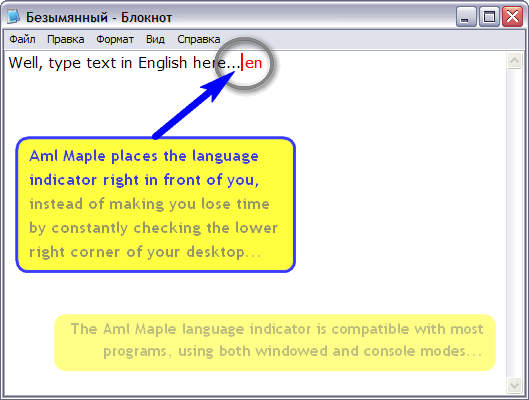
Aml Maple is a new point of view at keyboard layout
indicators: simple, modern, flexible. Aml Maple
indicates the active layout being currently used (the
language you are typing at this particular moment). It
is always in front of you, exactly at the place you
are typing!
An usage is very simple. For example, you can
configure the red cursor for English and blue cursor
one for French. Once you change your language layout,
the cursor color will be is changed accordingly.
It's easy to find - just look at the typing place or
mouse cursor.
It's easy to understand - current layout can be
indicated with colored symbols and/or national flag
icon.
It's easy to use - indicator is compatible with
absolutely most of the programs: both windowed and
console.
It's easy to setup - 8 interface languages, 30
indicators: simple, modern, flexible. Aml Maple
indicates the active layout being currently used (the
language you are typing at this particular moment). It
is always in front of you, exactly at the place you
are typing!
An usage is very simple. For example, you can
configure the red cursor for English and blue cursor
one for French. Once you change your language layout,
the cursor color will be is changed accordingly.
It's easy to find - just look at the typing place or
mouse cursor.
It's easy to understand - current layout can be
indicated with colored symbols and/or national flag
icon.
It's easy to use - indicator is compatible with
absolutely most of the programs: both windowed and
console.
It's easy to setup - 8 interface languages, 30
Program details
Publisher
Gosha MazovE-mail
Contact the publisherHome page
http://amlpages.com/home_am.phpPlatforms
Win7 x32<br>Win7 x64<br>Windows 10<br>WinServer<br>Windows XP<br>Windows 2000<br>WinVista<br>WinVista x64<br>WinOtherFile size
1214 KBFile date
6/1/2018License
SharewareInstallation
No InstallRecord updated
1/6/2018

