
Take Command x64
Version 17.00.77
Shareware
$99.95
0 downloads
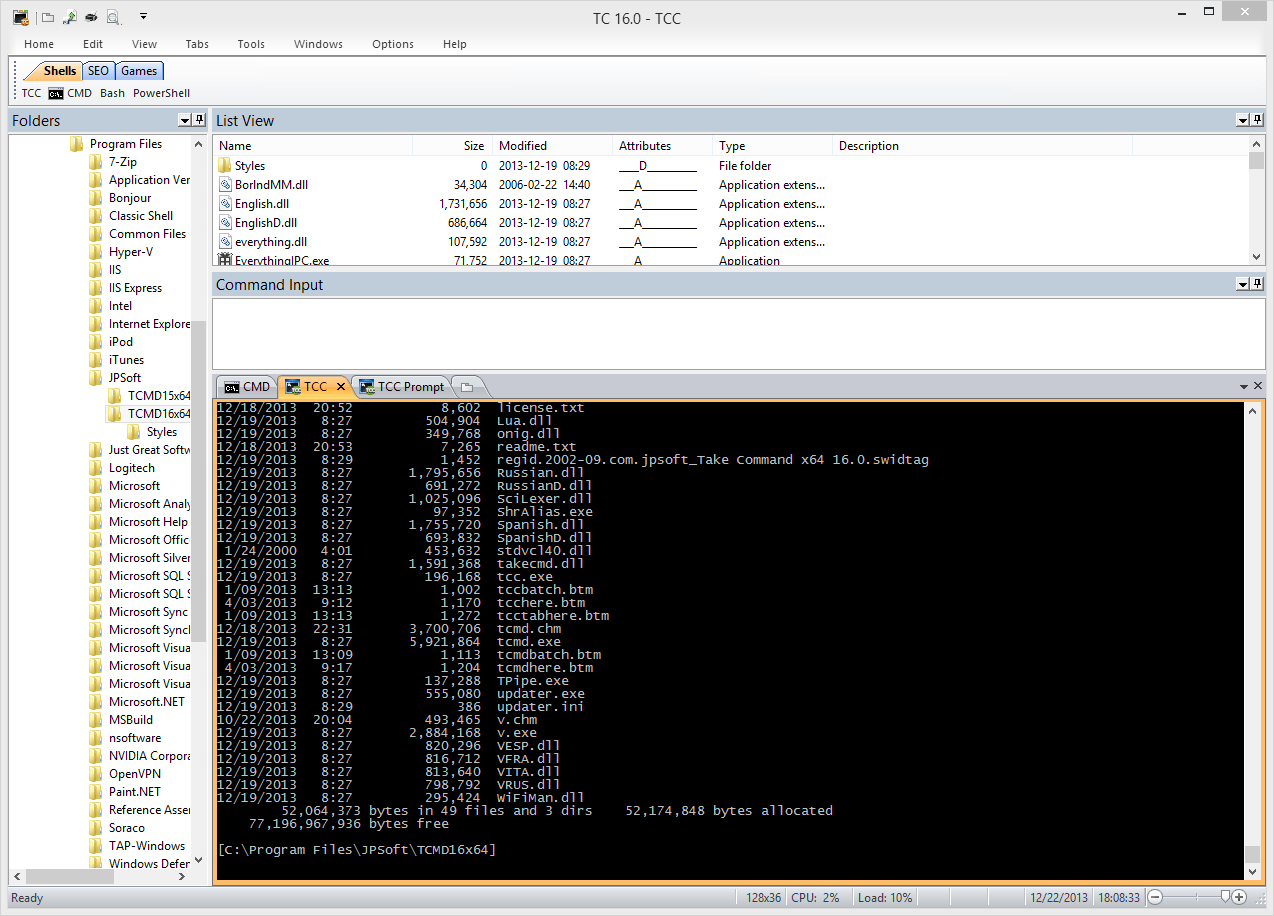
Take Command offers a new approach to working in
Windows, bringing users the power of the command line
and the ease of use of the Windows interface. Take
Command supports existing CMD.EXE commands and batch
files, and adds thousands of new features, giving you
more power and flexibility than you ever imagined. And
CMD and PowerShell users will love Take Command's
tabbed console windows and Windows shell integration.
Take Command adds features such as extensive context-
sensitive online help, shell monitoring commands,
plugins, aliases for commonly used commands, a
powerful command line editor, history recall, filename
completion (even across a network), popup command and
directory history windows, and extended directory
searches that can take you to any directory on your
system by entering only part of its name. Take
Command expands the Windows file handling commands,
giving you the ability to copy, move, delete, or list
multiple files with a single command, and adding FTP
and HTTP support (including SSL and SSH) . You can
select or exclude files from any command by their
date, time, size, and extended wildcards for
extraordinary flexibility. Batch file users will be
amazed at the power and speed Take Command adds to
Windows batch files, with an array of new batch
commands and a powerful batch debugger with single
stepping, breakpoints, syntax coloring, popup variable
windows, and editing. The extended batch language in
Take Command includes subroutines, DO statements, IF
THEN ELSE statements, SWITCH statements, error
handling, more than 190 internal commands and 550
internal variables. And if you don't like the default
behavior, Take Command allows you to adjust its
configuration either through interactive dialogs or on
the command line.
Windows, bringing users the power of the command line
and the ease of use of the Windows interface. Take
Command supports existing CMD.EXE commands and batch
files, and adds thousands of new features, giving you
more power and flexibility than you ever imagined. And
CMD and PowerShell users will love Take Command's
tabbed console windows and Windows shell integration.
Take Command adds features such as extensive context-
sensitive online help, shell monitoring commands,
plugins, aliases for commonly used commands, a
powerful command line editor, history recall, filename
completion (even across a network), popup command and
directory history windows, and extended directory
searches that can take you to any directory on your
system by entering only part of its name. Take
Command expands the Windows file handling commands,
giving you the ability to copy, move, delete, or list
multiple files with a single command, and adding FTP
and HTTP support (including SSL and SSH) . You can
select or exclude files from any command by their
date, time, size, and extended wildcards for
extraordinary flexibility. Batch file users will be
amazed at the power and speed Take Command adds to
Windows batch files, with an array of new batch
commands and a powerful batch debugger with single
stepping, breakpoints, syntax coloring, popup variable
windows, and editing. The extended batch language in
Take Command includes subroutines, DO statements, IF
THEN ELSE statements, SWITCH statements, error
handling, more than 190 internal commands and 550
internal variables. And if you don't like the default
behavior, Take Command allows you to adjust its
configuration either through interactive dialogs or on
the command line.
Program details
Publisher
Rex ConnE-mail
Contact the publisherPlatforms
Win7 x64<br>WinServer<br>Windows 2000<br>WinVista<br>WinVista x64File size
22903 KBFile date
2/28/2015License
SharewareInstallation
Install & UninstallRecord updated
6/4/2015


