|
|
 Pavtube Free DVDAid
-
Version
1.1.0.5359
Pavtube Free DVDAid
-
Version
1.1.0.5359
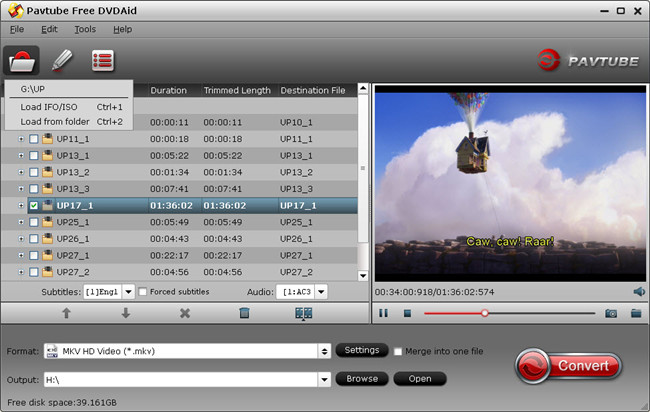
Pavtube Free DVDAid offers every user the opportunity to rip, encode and edit DVD to almost any video and audio format freely. Without extra payment, you could own a freeware to assist with DVD to video/audio transition which enables you to watch DVDs on other multimedia players without limitation. Plus, with the built-in video editor, Free DVDAid is considered to be an easily handled video editing tool with the ability of trimming, cropping, splitting, merging, adding subtitle file, etc.
1. Various output formats supported
Video formats like AVI, WMV, MPG, MKV, and audio types including MP3, M4A, WAV, etc. are included in the software to be compatible with your media players.
2. 6X faster conversion speed
Largely accelerate DVD encoding speed from one format to another by using H.264 codec by fully taking advantage of NVIDIA CUDA technology and AMD ® Accelerated Parallel Processing (APP).
3. Various video editing options include in order to make sure you get the best video and audio enjoyment during playback.
With powerful video editing features included, you could achieve the best video and audio quality for movie entertainment.
4. Add SRT/SSA/ASS subtitle file
Attach external subtitle file to the source movie, play and watch on media player with understandable language displayed on the screen.
1. Choose preferred subtitles and audio tracks
Free to select the desired audio stream and subtitle track from source DVD for your best movie enjoyment.
5. Customize profile parameters at will
You are allowed set video/audio codec, video display ratio, bitrate, frame rate and more to extend great DVD experience at home or on the move.
6. Watch DVD movies before conversion
With the built-in player you could preview the DVD video to make sure everything is settled down in the right way.
|